


Types of Patches: Security, Bug Fix, Feature & Hotfix
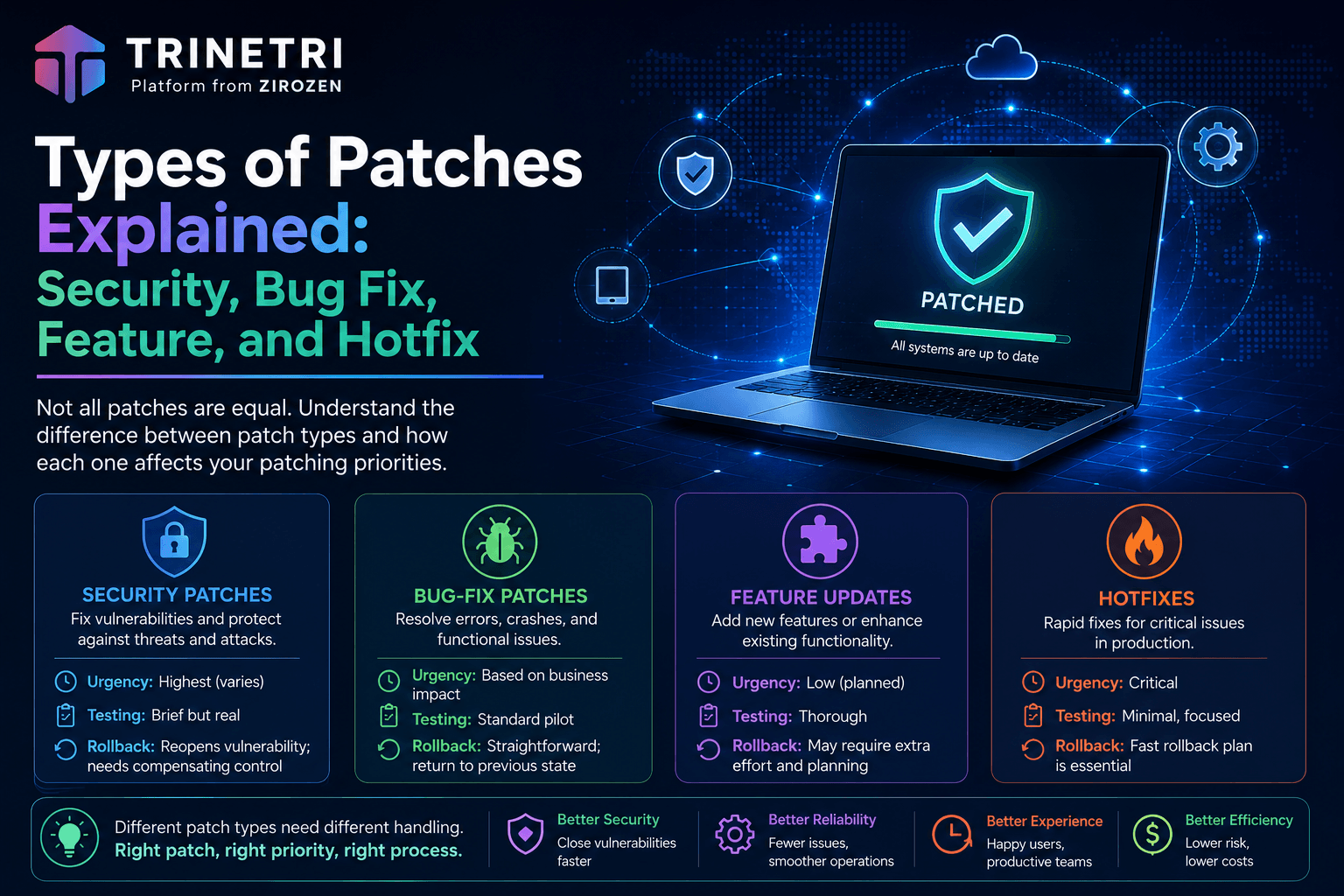
Not all patches are equal. Learn the difference between security patches, bug fixes, feature updates, hotfixes, and cumulative updates, and how each affects your patching priorities.
Types of Patches Explained: Security, Bug Fix, Feature, and Hotfix
"Patch" is one word doing five different jobs. A patch might close a vulnerability attackers are actively exploiting, fix an annoying crash, redesign a menu nobody asked to have redesigned, or bundle six months of all three into a single download. Treating them identically leads to two classic mistakes: rushing low-risk updates through emergency channels that should be reserved for real threats, and letting genuinely urgent security fixes wait in a monthly queue behind cosmetic changes.
This guide breaks down the main patch types, and more usefully, how each one should change your handling: its urgency, how much testing it deserves, and what rollback looks like when it misbehaves. (For the full picture of running a patching program, see our complete [patch management guide].)
Security Patches
A security patch fixes a specific vulnerability, usually one tracked publicly as a CVE. The vendor discovered the flaw (or was told about it by researchers, or learned about it from an active attack) and shipped a targeted correction.
Urgency: the highest, but variable. The moment a security patch is released, the vulnerability it fixes becomes public knowledge, and attackers reverse-engineer patches to build exploits. That said, urgency within this category varies enormously. A vulnerability listed in CISA's KEV catalog (confirmed active exploitation) belongs in your emergency lane; a theoretical flaw in a component you barely expose can ride the normal cycle. This is exactly why severity scores alone make poor queues. [How to Prioritize Patches Using CVSS, EPSS, and KEV]
Testing: brief but real. Security patches are usually narrow in scope, which makes them lower-risk than feature updates. A short canary soak still applies, because "usually" is not "always."
Rollback consideration: removing a security patch reopens the vulnerability. If a security patch breaks something, the decision isn't just "roll back or not" but "what compensating control covers the gap while we wait for the vendor's fixed fix."
Bug-Fix Patches
Bug-fix patches correct functional defects: crashes, errors, memory leaks, features that don't behave as documented. No security implications, just software working badly.
Urgency: driven by impact, not by attackers. A bug crashing your point-of-sale app hourly is urgent for entirely operational reasons. A cosmetic glitch can wait for the next cycle. Nobody outside your organization cares when you apply these, which means your own users' pain sets the clock.
Testing: standard pilot treatment. Bug fixes occasionally introduce new bugs, and since there's no attacker-driven deadline, there's rarely a reason to skip the pilot ring.
Rollback consideration: straightforward. You return to the previous known-buggy-but-familiar state.
Feature Updates
Feature updates add or change functionality: new capabilities, redesigned interfaces, changed default behaviors. These are the updates users notice.
Urgency: none, from a security standpoint. Feature updates deploy on your schedule, aligned with change management and user communication. There is one indirect security angle worth knowing: vendors eventually stop supporting old feature versions, and an unsupported version stops receiving security patches. Staying too many versions behind quietly converts a "no urgency" category into a security problem.
Testing: the most of any category. Feature updates change behavior by design, which means they're the most likely to break workflows, integrations, macros, and the internal tool that only works the old way. They deserve your longest pilot soak and your most diverse pilot group. [How to Reduce Patch-Related Outages: Testing and Rollback Strategies]
Rollback consideration: often the hardest. Feature updates can migrate data formats and settings in ways that don't reverse cleanly. Know the vendor's documented downgrade path before you deploy, not after.
Hotfixes
A hotfix is an urgent, narrowly scoped fix released outside the vendor's normal cycle, typically for a critical security flaw under active exploitation or a bug causing outages. The name signals the circumstances: something is on fire, and the vendor shipped water fast.
Urgency: usually immediate. Vendors don't break their release cadence for trivia. When Microsoft ships an out-of-band update or your ERP vendor emails a hotfix on a Friday, the underlying problem is generally severe. Your emergency deployment lane exists for exactly this. [What is Ring-Based Patch Deployment? — see the section on compressing rings for emergencies]
Testing: compressed, never skipped. Here's the uncomfortable truth about hotfixes: speed cuts both ways. A patch built in days has had days of vendor QA, not months, which makes hotfixes statistically the most likely category to cause side effects. The answer is a compressed ring rollout with a short canary soak measured in hours. Fast and gated beats fast and blind.
Rollback consideration: have the plan ready before deployment, because if any category will need it, it's this one.
Cumulative Updates and Service Packs
Cumulative updates bundle many prior patches into a single package: this month's fixes plus everything before them. Microsoft moved Windows to this model years ago, which is why you can't cherry-pick individual Windows fixes the way admins once did. Service packs are the older, larger cousin: massive rollups marking a version milestone.
Urgency: inherits the highest-severity item inside. A cumulative update containing one actively exploited CVE carries that CVE's urgency, regardless of how routine the other forty fixes are.
Testing: moderate, with a bundling caveat. The all-or-nothing nature means a single problematic fix inside the bundle blocks the whole package, including its security content. When a cumulative update fails testing, the right move is rarely "skip this month"; it's isolating the conflict, applying the vendor's known-issue-rollback if one exists, and escalating to the vendor, because next month's cumulative will contain the same problem fix plus new ones.
One practical note: cumulative updates make verification simpler (one package, one version check) but make attribution harder when something breaks. Your canary ring is where attribution happens.
How Patch Type Changes Your Handling
| Type | Typical urgency | Testing depth | Rollback difficulty | Deployment lane |
|---|---|---|---|---|
| Security patch | High to emergency (check exploit status) | Short canary soak | Medium (reopens the vuln) | Risk-based queue |
| Bug fix | Set by operational pain | Standard pilot | Easy | Normal cycle |
| Feature update | None (until version support ends) | Longest, most diverse pilot | Hardest | Scheduled, with comms |
| Hotfix | Immediate | Compressed rings, hours not days | Plan required upfront | Emergency lane |
| Cumulative update | Inherits worst item inside | Moderate; attribution via canary | All-or-nothing | Monthly cadence + emergency override |
Two threads run through this table. First, patch type sets the starting urgency, but exploit intelligence and asset context finish the job; a "mere" security patch on your internet-facing VPN outranks everything else on this page. Second, every category benefits from the same machinery: ring-based deployment with an emergency compression mode handles all five types with one process, just at different speeds. [The Patch Management Lifecycle: 6 Stages from Discovery to Verification]
Frequently Asked Questions
What's the difference between a security patch and a hotfix? Scope versus timing. A security patch is defined by what it fixes (a vulnerability); a hotfix is defined by how it ships (urgently, outside the normal release cycle). Many hotfixes are security patches; some address critical operational bugs instead. A security fix delivered in the regular monthly cycle is a security patch but not a hotfix.
What is a cumulative update? A package bundling the current month's fixes with all previous ones, so a device even months behind gets fully current from a single install. Microsoft uses this model for Windows. The trade-off: you can't decline one problematic fix while taking the rest.
Are feature updates important for security? Not directly, but indirectly yes. Vendors only ship security patches for supported versions, so falling too far behind on feature updates eventually cuts off your security patch supply. Track vendor support timelines and plan feature upgrades before, not after, the deadline.
Do all patch types need testing? Yes, with depth scaled to risk. Feature updates warrant the deepest testing because they change behavior by design. Hotfixes warrant compressed testing because urgency is real but so is their above-average failure rate. Nothing warrants zero testing.
Which patch types should be automated? All of them, with different policies: automated risk-based queuing for security patches, scheduled cycles for bug fixes and cumulative updates, change-managed windows for feature updates, and an automated emergency lane for hotfixes. Modern platforms express each as policy rather than as someone's manual routine. [AI-Powered vs Traditional Patch Management]
Every Patch Type, One Process
(CTA section — adapt to brand voice)
[Product name] classifies incoming updates automatically, routes each type through the right lane (risk-based queues for security patches, compressed emergency rings for hotfixes, scheduled windows for the rest), and verifies every installation across Windows, macOS, Linux, and 4,000+ third-party applications.
[See the platform] | [Book a demo]