Security
Detect Ransomware Activity Early
Identify unauthorized file modifications and mass encryption behavior before ransomware spreads across endpoints.
<5minaverage detection time

Continuously monitor critical files, directories, registry keys, configurations, and system assets to detect unauthorized changes, strengthen compliance, and stop threats before they impact your business.


Manage remote teams, data center devices, or cloud-hosted endpoints with Trinetri in real time. Ensures optimum patch compliance and keeps you stay ahead of threats with AI-powered insights.
Identify unauthorized modifications the moment they occur.
Monitor critical assets across endpoints without interruption.
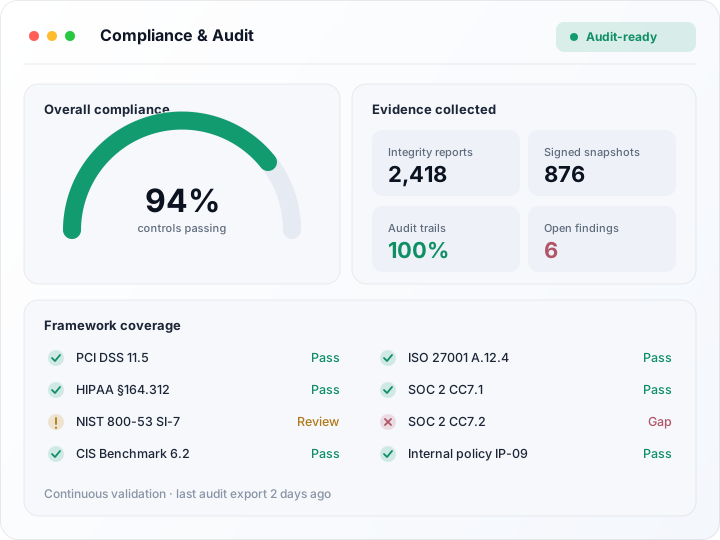
Meet FIM requirements across CIS, PCI DSS, HIPAA, NIST, and custom frameworks.
Prioritize suspicious changes based on security impact and threat intelligence.
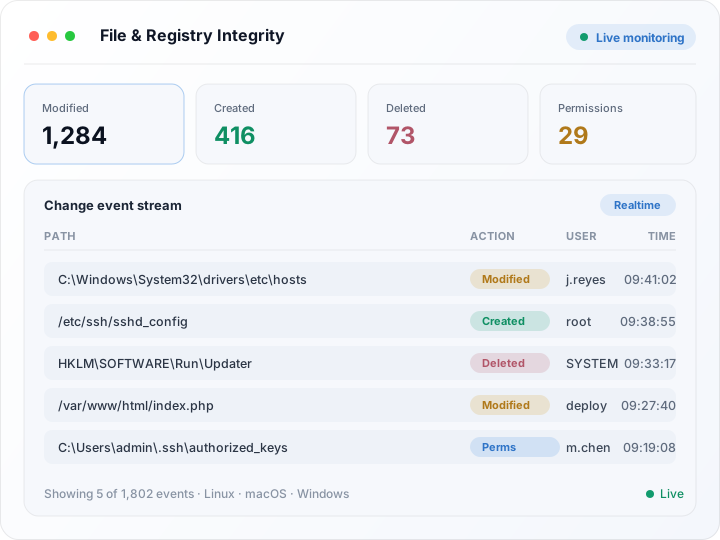
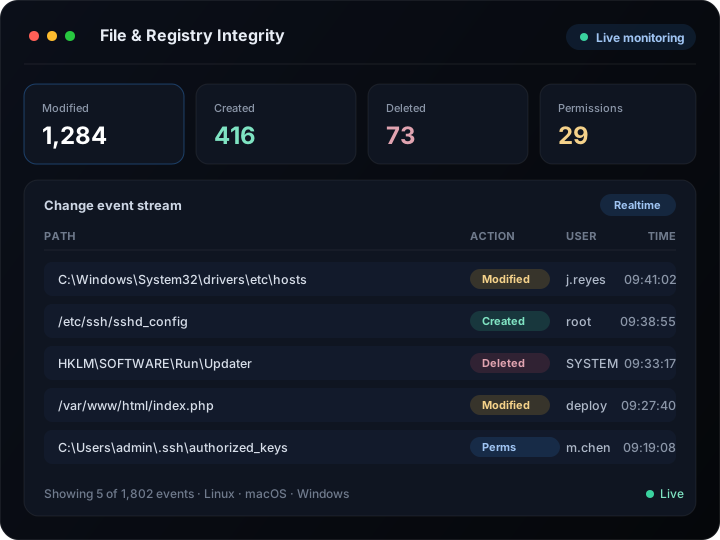
Track additions, deletions, modifications, permission changes, ownership changes, and content updates across critical files and folders on Linux, macOS, and Windows devices. Unleash the power of registry integrity monitoring for Windows. Gain complete visibility into changes that may impact security, compliance, or operational stability.
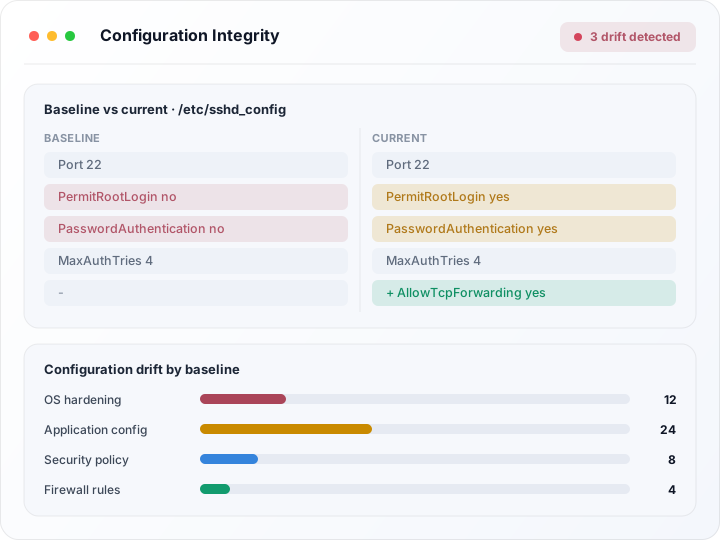
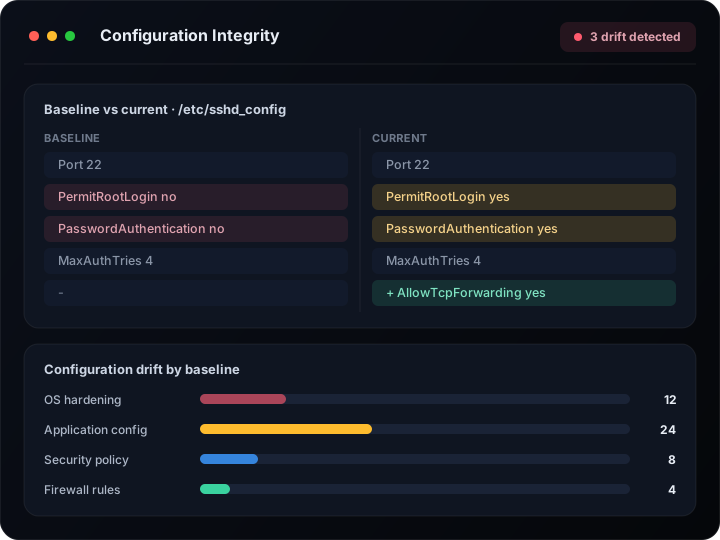
Monitor critical operating system, application, and security configurations for unauthorized changes. Detect configuration drift, policy violations, and security misconfigurations before they impact compliance or expose systems to threats.
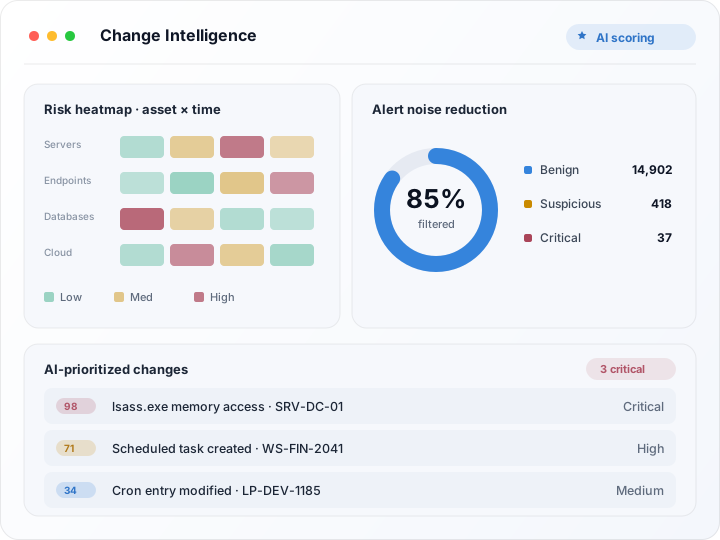
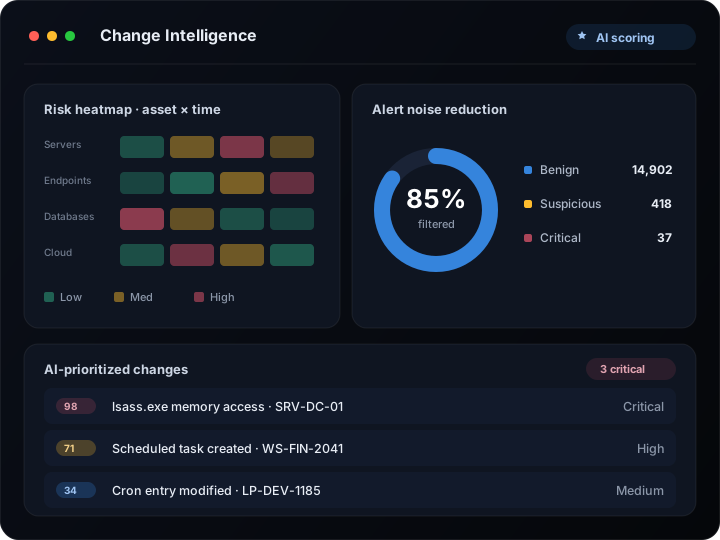
Not every change is a security concern. AI analyzes change behavior, affected assets, user activity, threat intelligence, and security context to help teams prioritize suspicious modifications that require immediate attention.
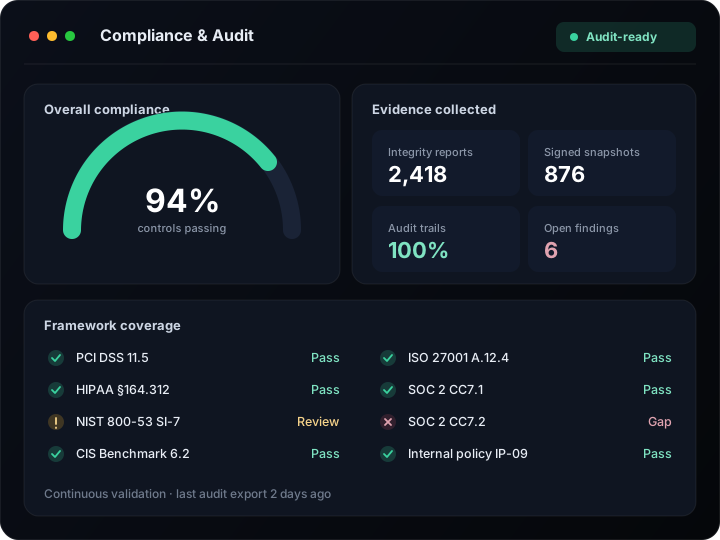
Continuously validate file and registry integrity against compliance requirements including PCI DSS, HIPAA, NIST, CIS Benchmarks, ISO 27001, SOC 2, and internal security policies.
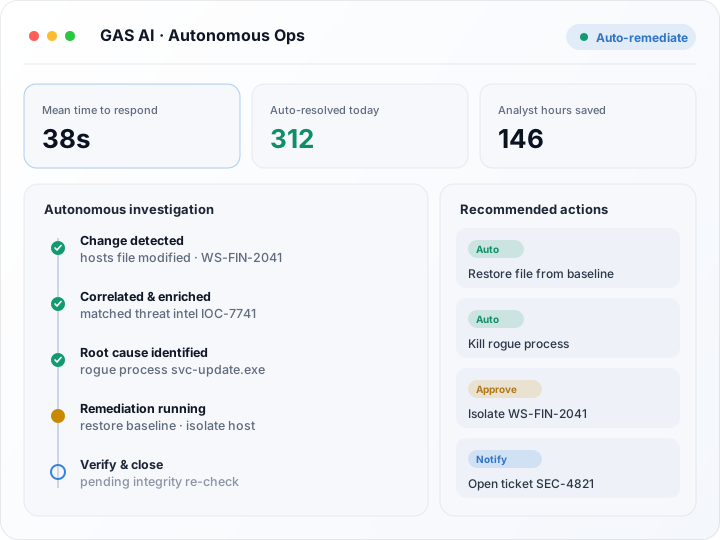
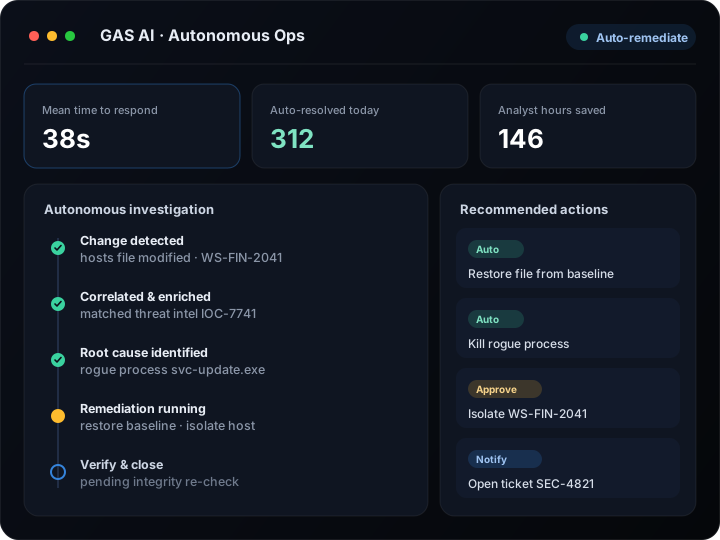
GAS AI continuously monitors integrity events, investigates suspicious changes, identifies root causes, and recommends or automates remediation actions. Transform integrity monitoring from reactive detection to proactive security operations.
Unmonitored file, registry, and configuration changes hide ransomware, insider misuse, and compliance drift until they surface as real-time, evidence-backed alerts.
Identify unauthorized file modifications and mass encryption behavior before ransomware spreads across endpoints.
Monitor application files, configurations, and registry settings to ensure operational stability and detect unauthorized changes that could impact business services.
Detect unauthorized modifications performed by privileged users, contractors, or compromised accounts.
Monitor payment systems and critical assets for unauthorized changes and maintain required audit trails.
Access detailed change history and forensic evidence to accelerate incident response and root-cause analysis.
Identify deviations from approved system baselines and maintain consistent security configurations.
Powerful capabilities to secure, manage and automate your entire endpoint environment.
Automate OS and third-party patching to eliminate vulnerabilities and keep your endpoints secure and up to date.
Automated Patching
Ring Deployment
Patch Policies
Rollback & Recovery
Detailed Reporting
Frequently Used Together
These features work even better together to deliver maximum security and efficiency.
by bringing together other tools
Empower your business with a rich ecosystem of integrations that unify operations, automate processes, and enhance productivity.

Expert guidance, product updates, and best practices for autonomous IT & security operations.
Move from noisy, rule-based file monitoring to context-aware, intelligent integrity monitoring.
Traditional
FIM
AI-Powered
Integrity Monitoring
Basic file monitoring
Tracks file changes without understanding their context.
Context-aware change analysis
Understands what changed, why, and how risky it is.
Static rules
Fixed rule sets miss novel or evolving threats.
AI-driven risk assessment
Risk is scored dynamically based on real behavior.
High alert volumes
Teams are flooded with low-value notifications.
Intelligent prioritization
Only the most critical changes surface for review.
Manual investigations
Analysts manually trace the source of each change.
Automated analysis
AI correlates and explains changes automatically.
Reactive response
Action is taken only after damage is already done.
Proactive threat detection
Threats are identified and stopped before impact.
Limited visibility
Siloed data leaves blind spots across endpoints.
Unified endpoint intelligence
Complete, correlated visibility across every endpoint.
File Integrity Monitoring (FIM) is a security process that continuously monitors critical files and directories for unauthorized additions, deletions, modifications, or permission changes.
FIM helps organizations detect security incidents, insider threats, malware activity, configuration drift, and compliance violations before they become major risks.
Registry Integrity Monitoring tracks changes to Windows registry keys and system configurations to identify unauthorized modifications that may indicate security threats or operational risks.
Yes. FIM can identify suspicious file modifications, mass file changes, and encryption-related activity commonly associated with ransomware attacks.
File Integrity Monitoring is commonly required or recommended by PCI DSS, HIPAA, NIST, CIS Benchmarks, ISO 27001, and other security frameworks.
AI helps prioritize suspicious changes, reduce false positives, analyze security context, and accelerate investigations through intelligent risk analysis.
Yes. EndpointOps can trigger alerts, investigations, workflows, and remediation actions when unauthorized file or registry changes are detected.
EndpointOps maintains comprehensive audit trails and change history to support security investigations, compliance audits, and forensic analysis.